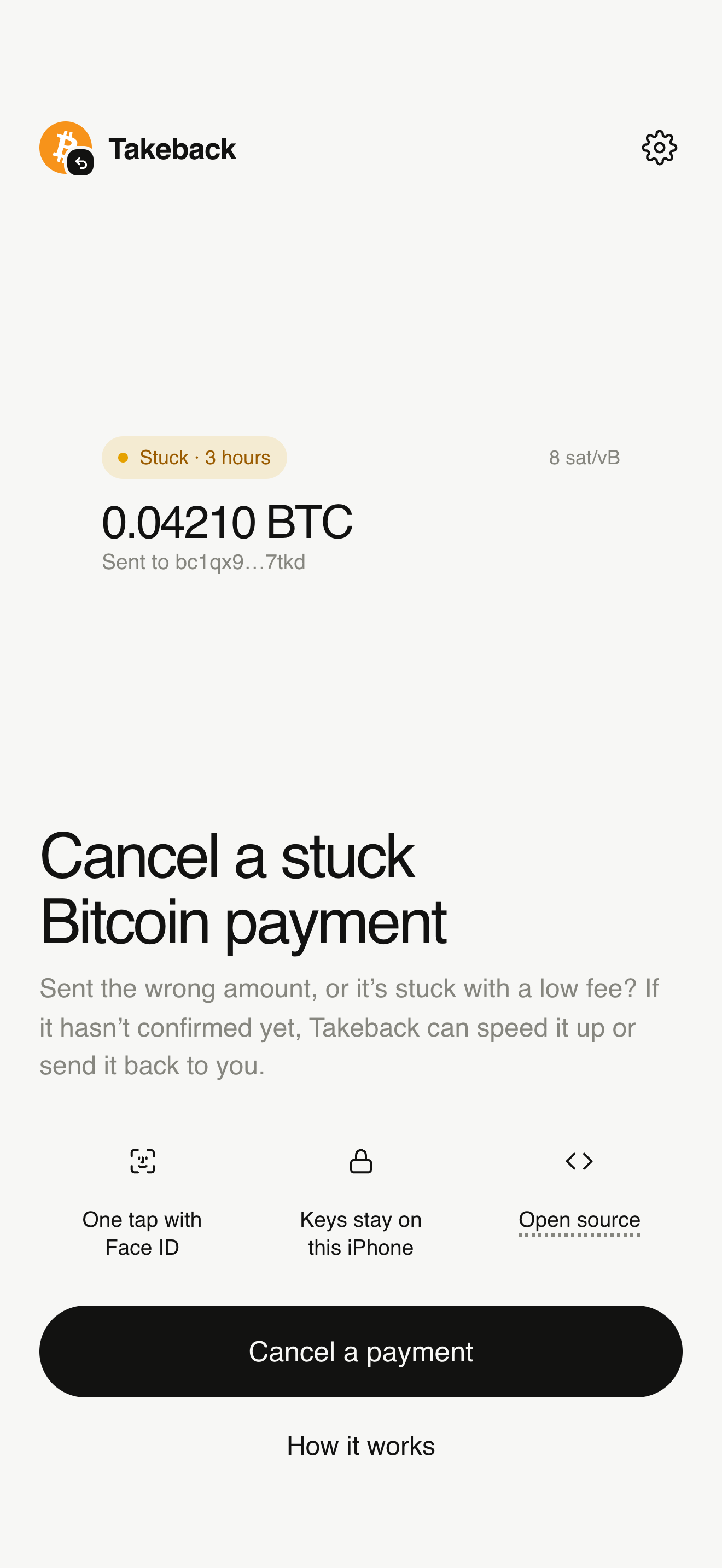
One screen explains what the app does. Tap Cancel a payment to begin, or How it works for a short walkthrough. There’s no sign-up and no account.
No email, no account, no tracking
Works on any iPhone that runs the app
Settings live behind the gear: default fee, server and About
2Step 1
9:41
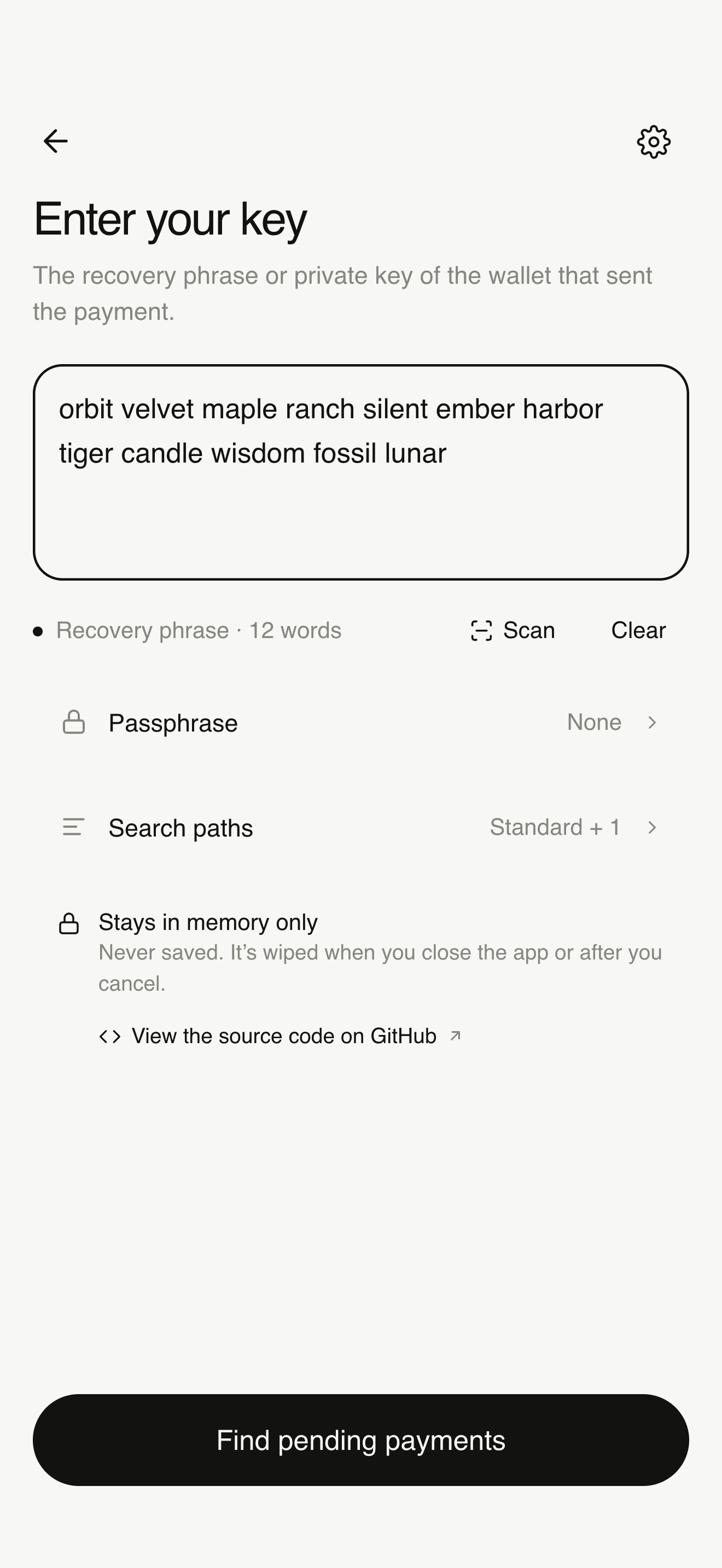
Enter the key that sent the payment
Paste or type the recovery phrase or private key of the wallet the payment came from. One smart field detects the format as you type, and a status line tells you what it found, such as “Recovery phrase · 12 words”.
Recovery phrase12–24 words · optional passphrase
WIFcompressed or uncompressed
Hex private key64 characters
Mini private keythe S… format
xprv · yprv · zprvextended private keys
Custom pathsextra accounts or address types
Stays in memory only. The key is never saved, and it’s wiped when you close the app or after the payment is replaced.
3Step 1 · alternative
9:41
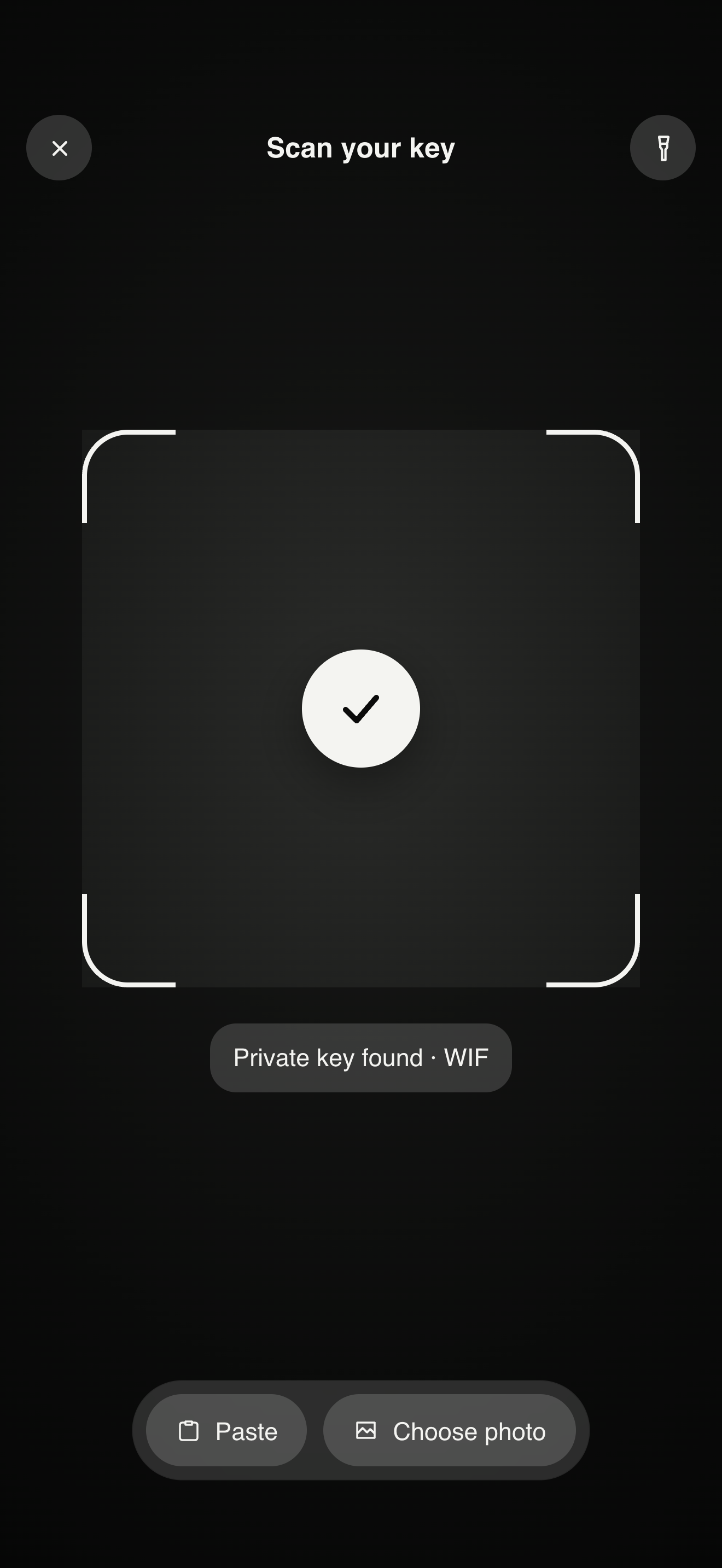
Or scan it from a QR code
If your key is stored as a QR code, such as a paper wallet, scan it with the camera. You can also choose a photo or paste. The scanner shows what it read before you continue.
Reads plain keys and animated QR codes
Shows the detected type, e.g. “Private key found · WIF”
Camera images are processed on the device and never stored
4Step 2
9:41
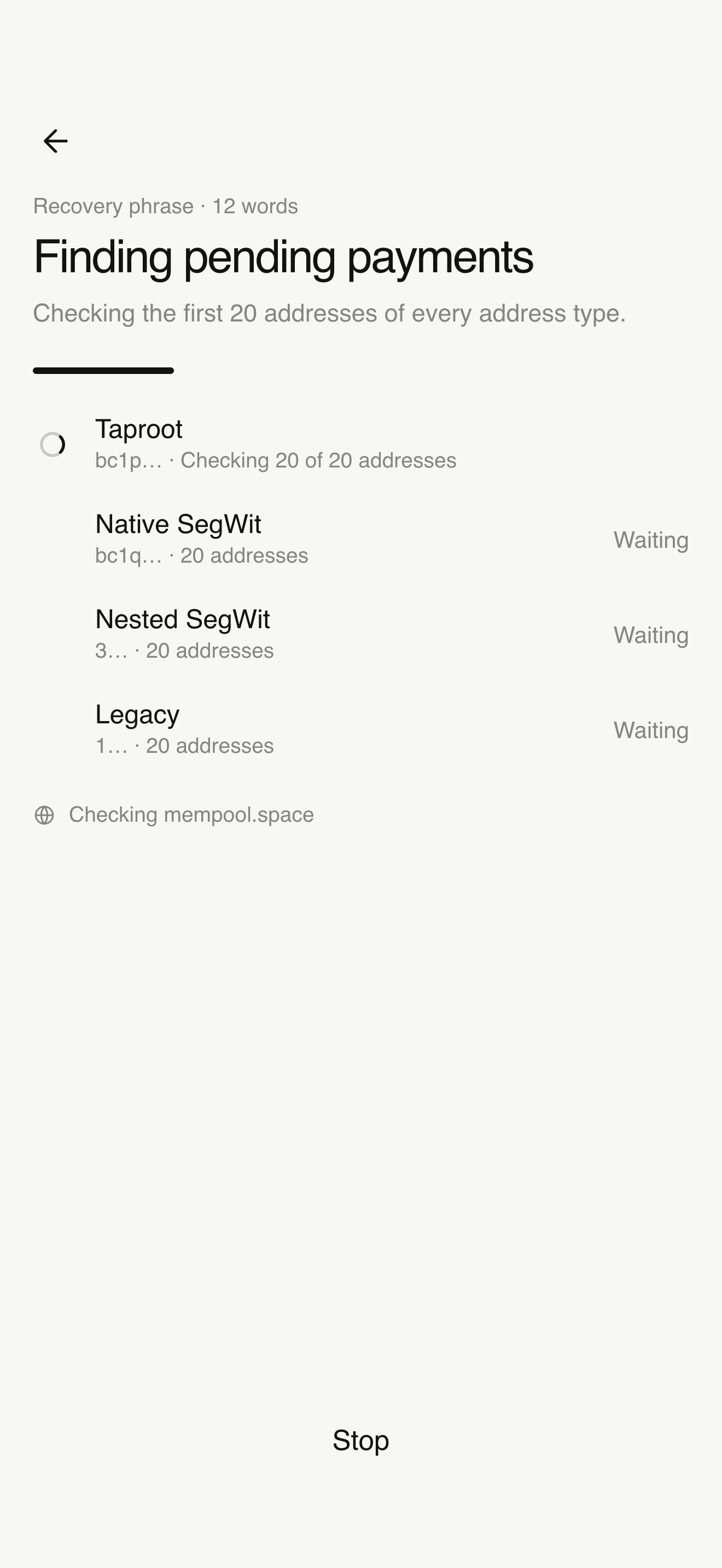
Takeback finds every stuck payment
A key can pay from more than one kind of address, so Takeback checks them all at once. For a recovery phrase it scans the first 20 addresses of each type, plus any custom paths you added. A single private key has one address per type.
Taprootbc1p… · BIP86
Native SegWitbc1q… · BIP84
Nested SegWit3… · BIP49
Legacy1… · BIP44
Lookups go to public Electrum servers in batches, with mempool.space as a fallback. Only addresses are sent, never your key. You can point the app at your own Electrum server in Settings.
5Step 3
9:41
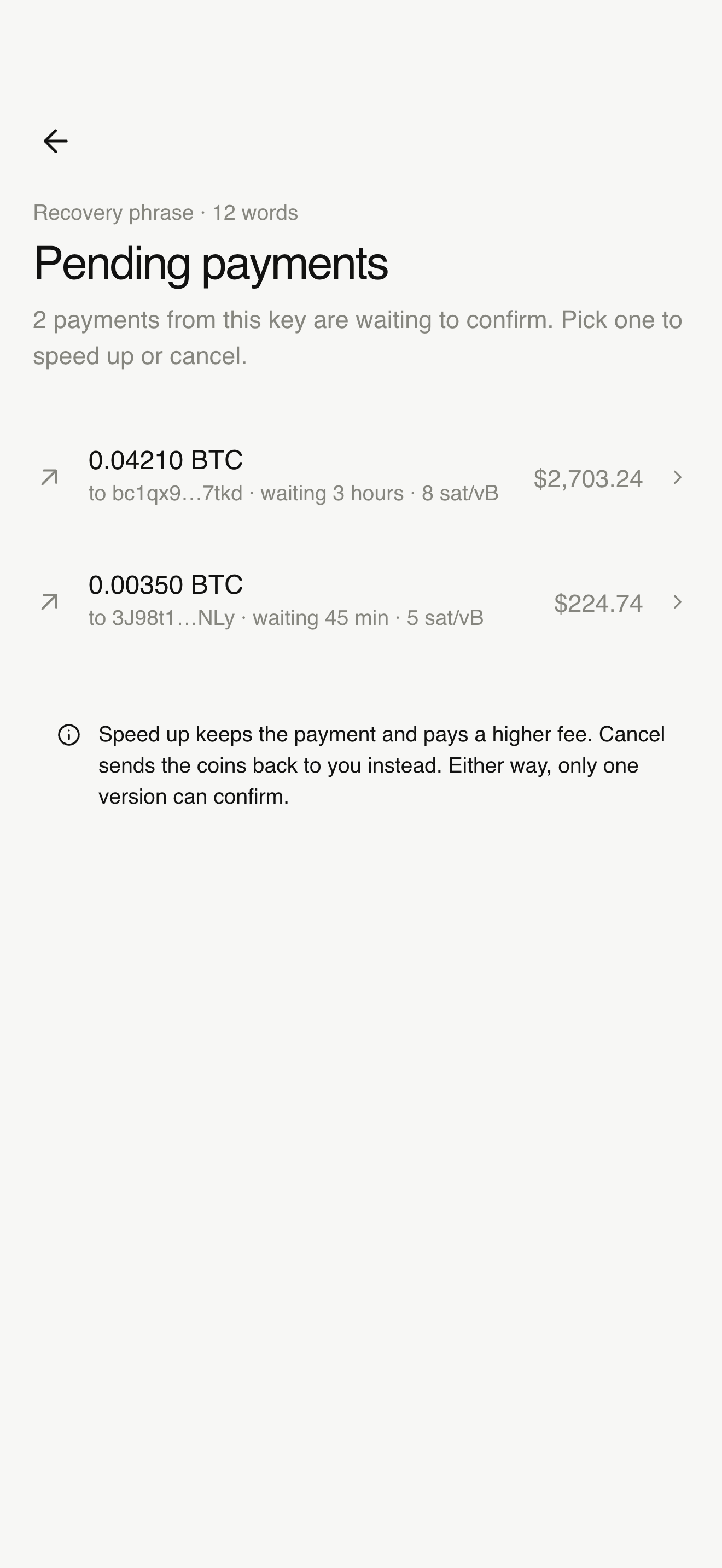
See what’s waiting
Every unconfirmed payment from the key appears in one list, with its amount, recipient, how long it has been waiting and its current fee rate. Payments that can’t be changed are clearly marked, with the reason.
“Some coins aren’t yours”: another wallet also paid in, so this key can’t replace it alone
“Canceling · pending”: a replacement is already waiting, so you won’t start a second one
Linked payments: if a payment was spent again before confirming, canceling it cancels the later one too, and you’re warned first
6Step 4 · option A
9:41
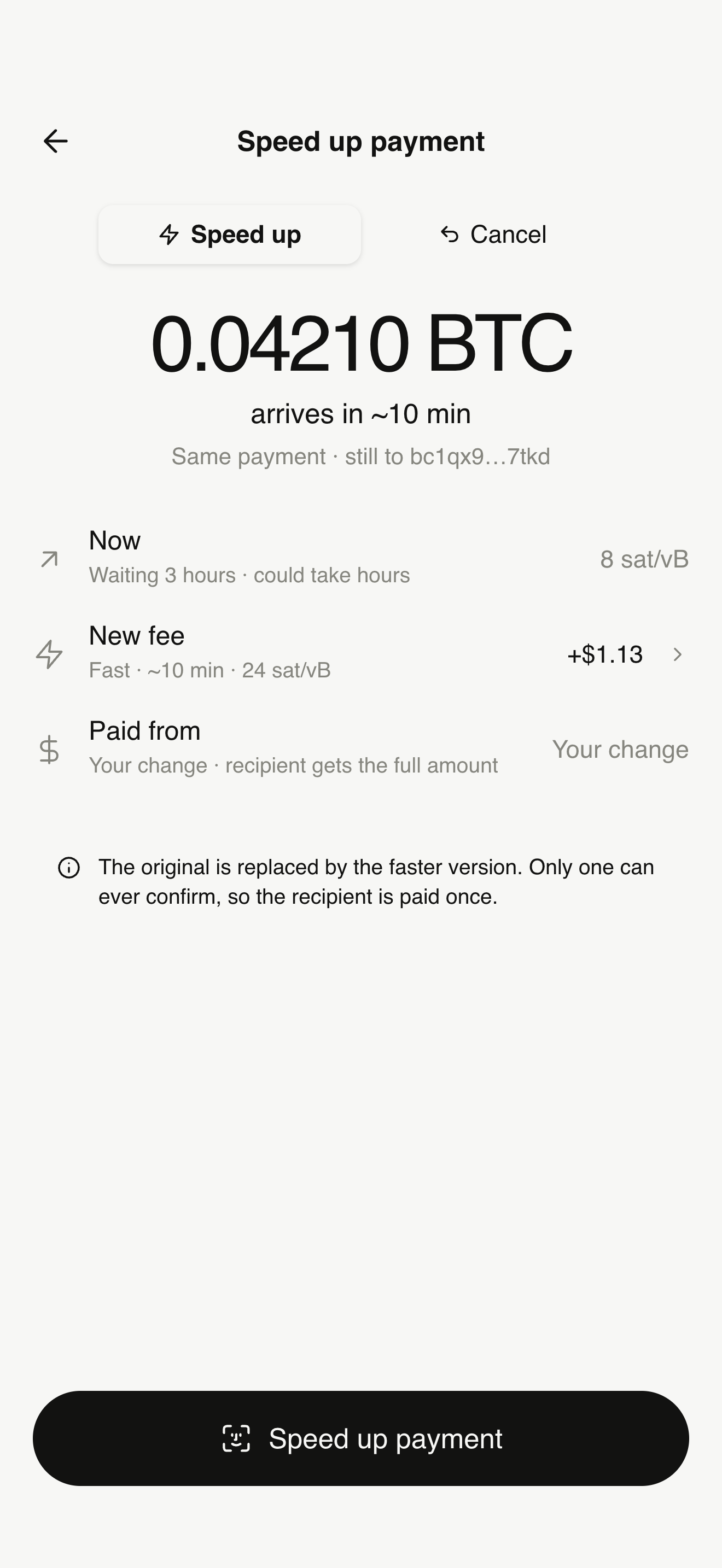
Speed it up
Speeding up keeps the payment exactly the same, with the same recipient and amount, and pays a higher fee so miners include it sooner. The extra fee comes from your change. The original is replaced, and only one version can ever confirm.
Nowwaiting, low fee
New feee.g. Fast · ~10 min
Paid fromyour change
Recipient getsthe full amount
7Step 4 · option B
9:41
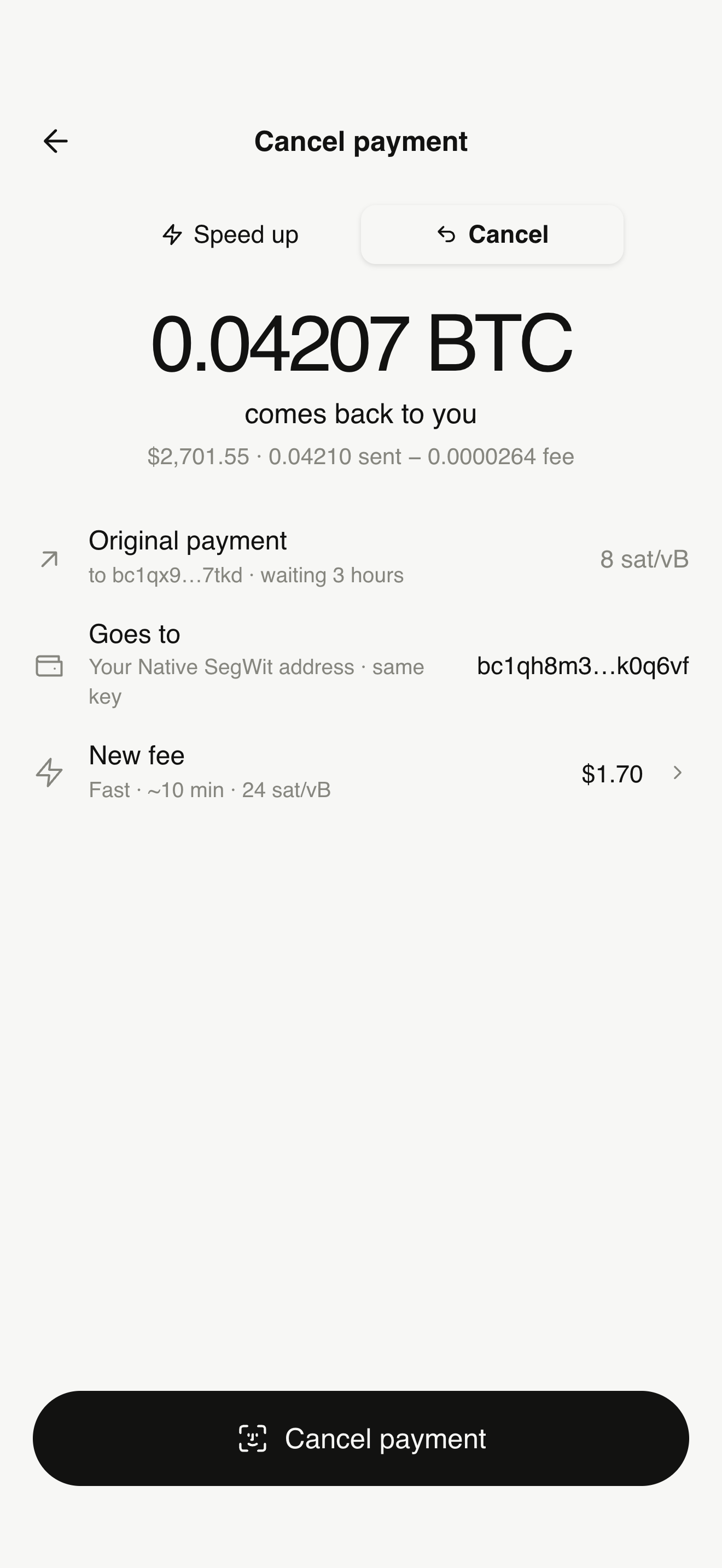
Or cancel it
Canceling replaces the payment with a new transaction that spends the same coins back to an address you own, derived from the same key. The big number is exactly what comes back to you after the new fee.
Coins go to your own address, shown in full before you approve
One tap with Face ID, no other steps
If the original confirms first, the cancel simply fails and nothing is lost
8Step 5
9:41
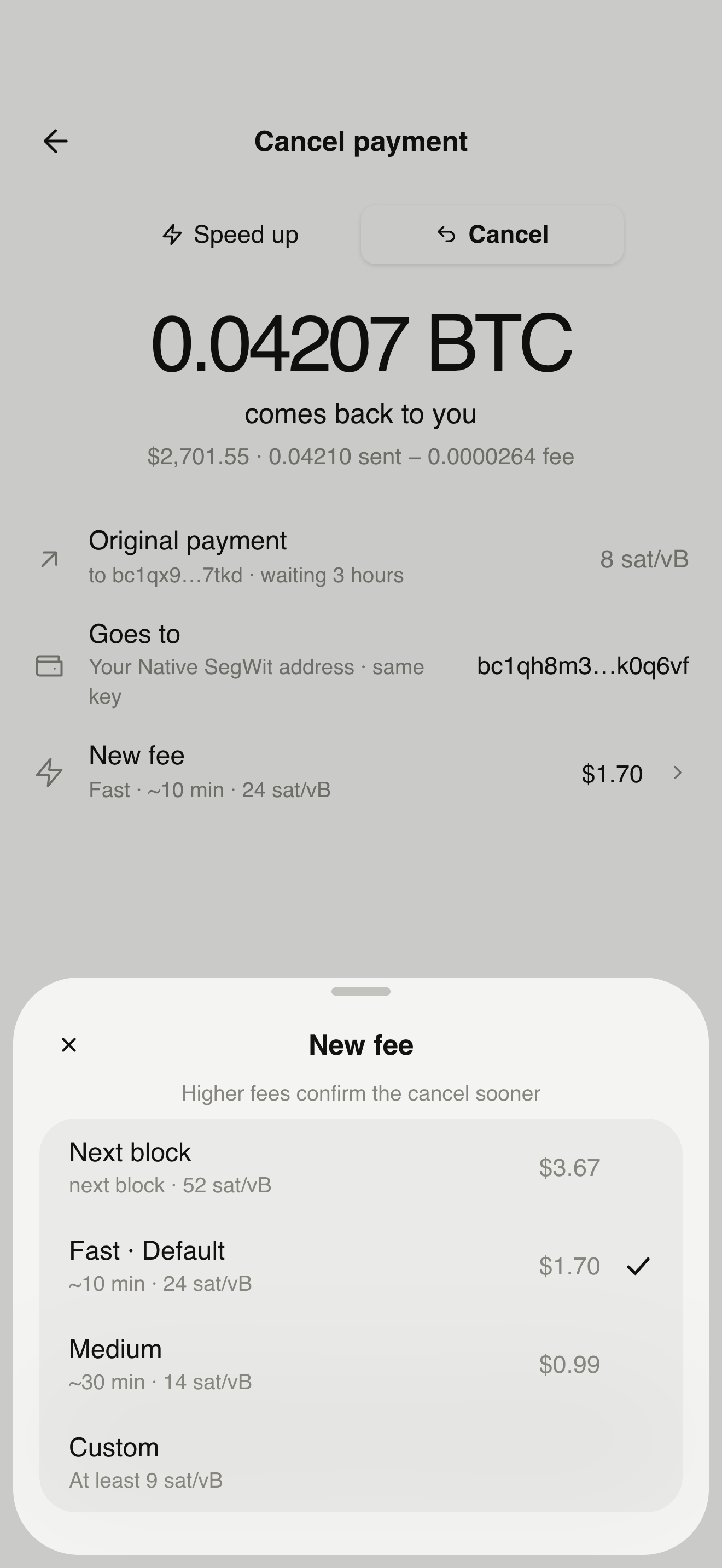
You choose the fee
A replacement must pay more than the original, so Takeback suggests rates from the current network: Next block, Fast and Medium, or set your own. The minimum allowed is shown, and Fast is selected by default.
Next blockhighest chance, highest fee
Fast~10 minutes · default
Medium~30 minutes
Customany rate above the minimum
9Step 6
9:41
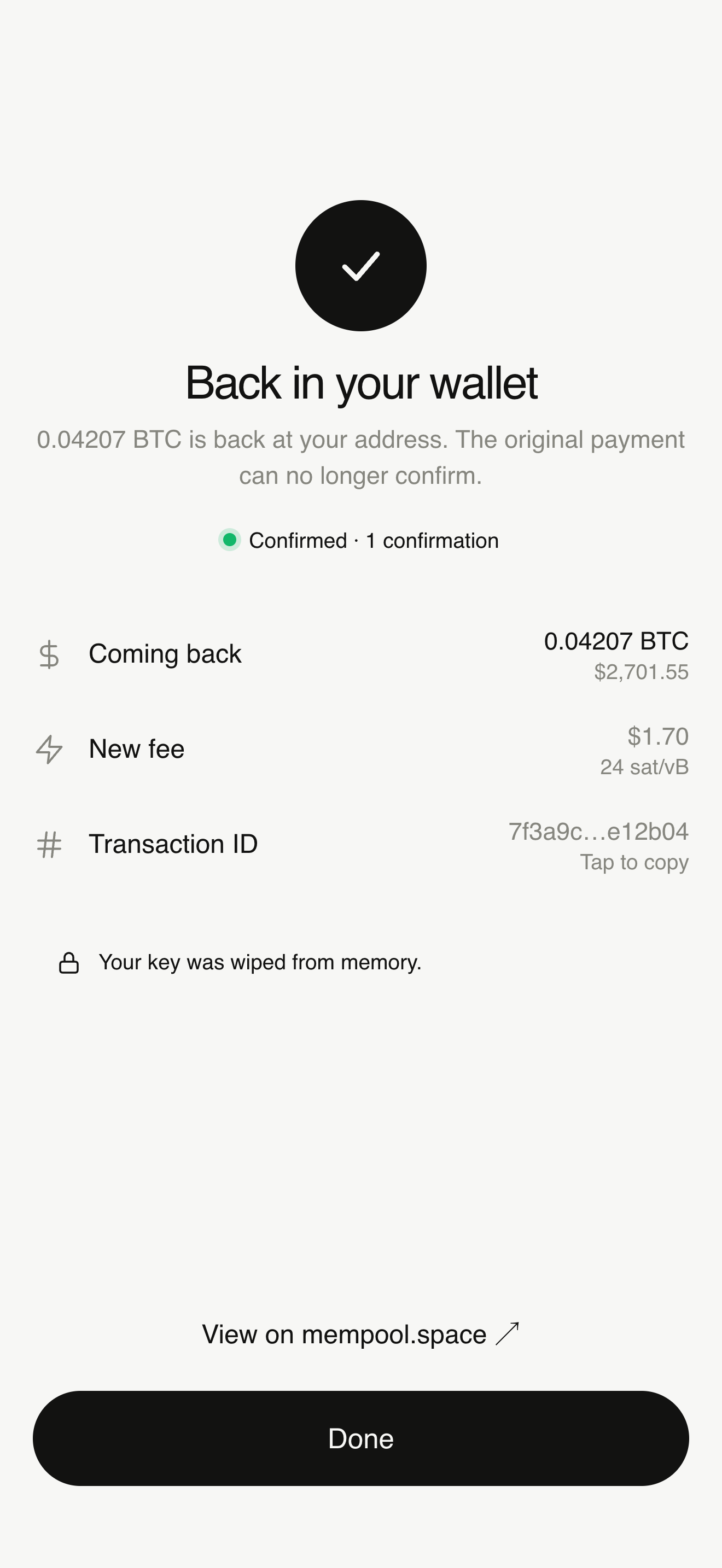
Watch it confirm
After you approve with Face ID, Takeback broadcasts the replacement and follows it live, from pending to confirmed, without any action from you. Your key is wiped from memory as soon as the replacement is sent.
Live status: Pending → Confirmed
View it on mempool.space
Clear errors if it already confirmed, the fee wasn’t enough, or the network rejected it
The Bitcoin rules behind it
Replace-by-fee, explained.
A Bitcoin payment isn’t final until it’s in a block. Until then it waits in the mempool, and it can be replaced by a new transaction that spends the same coins and pays a higher fee.
Original payment0.04210 BTC
Fee rate8 sat/vB
Waiting 3 hours
ReplacementSame coins, higher fee
Fee rate24 sat/vB
Broadcast
MinersKeep the higher fee
OriginalDropped
Replacement confirms
Two transactions can’t spend the same coins, so only one will ever confirm. Nodes keep the one that pays more and drop the other. Speed up and Cancel are both replacements; they only differ in where the coins go.
BIP 125 rules
A replacement must pay a higher total fee than the original, and enough extra to cover its own size at the minimum relay rate. Takeback checks this before you approve.
Full RBF in Bitcoin Core
Since Bitcoin Core 28 (October 2024), full replace-by-fee is on by default. Nodes accept a replacement even when the original didn’t signal RBF, so most payments can be replaced.
It’s a race
Until a block is found, either version could confirm. A higher fee and acting early improve your chances. Once one confirms, the other becomes invalid forever.
Speed up: replace with a higher fee
Same recipient, same amount. The extra fee comes out of your change output. If a payment has no change, the fee is taken from the amount and you’re told before approving.
Cancel: replace with a payment to yourself
Spend the same coins to your own address, from the same key, with a higher fee. If it confirms, the original recipient receives nothing and the coins are back in your wallet.
Which payments
What can be canceled, and what can’t.
Situation
Speed up
Cancel
Why
Unconfirmed, paid only from your key
Yes
Yes
You can sign a replacement for every coin it spent.
Didn’t signal RBF
Usually
Usually
Full RBF is the default in Bitcoin Core 28+, but a few nodes or miners may still keep the original.
Confirmed (1 or more confirmations)
No
No
It’s in a block. Bitcoin payments can’t be reversed after that.
Some coins came from another wallet
No
No
A replacement must be signed for every coin. This key can’t sign the others.
A replacement is already pending
Once more
Shown as Canceling
You can raise the fee again, but you won’t start a second cancel.
The payment was spent again before confirming
Yes
With warning
Canceling it also cancels the later payment that depends on it.
Too little left for a higher fee
No
No
The replacement must pay more than the original and still leave a valid output.
Received payments (not sent by you)
No
No
Takeback replaces payments you sent. It doesn’t use child-pays-for-parent.
No one can guarantee a cancel. If the original is mined before the replacement, the original confirms. Takeback tells you right away if a payment already confirmed, if the fee wasn’t enough, or if the network rejected the replacement.
Supported keys
Whatever your wallet gave you.
Key
Example
What Takeback checks
Recovery phrase
12, 15, 18, 21 or 24 words
First 20 addresses of Taproot, Native SegWit, Nested SegWit and Legacy, plus custom paths. Optional BIP39 passphrase.
WIF private key
Starts with K, L or 5
The single address of each type the key can use.
Hex private key
64 characters
The same as WIF.
Mini private key
Starts with S, 22 or 30 characters
The Legacy address it maps to.
Extended private key
xprv, yprv, zprv
Addresses under the key, using its standard or a type you choose.
Custom derivation paths
e.g. m/84'/0'/1'
Extra accounts, indexes or address types you add to the search.
Questions
Good to know
Why does it need my key?
Only the owner of the coins can sign a replacement. Takeback uses your key, held in memory on your iPhone, to sign the new transaction locally. The key itself never leaves the device.
How long does it take?
Finding payments takes a few seconds. After you approve, a replacement at the Fast rate usually confirms within about 10 minutes, depending on network demand.
Will the recipient see anything?
If you speed up, they receive the same payment, just sooner. If you cancel and it confirms, they receive nothing. Some wallets show the original as pending until it’s dropped.
Can I use my own server?
Yes. In Settings you can enter your own Electrum server, so address lookups and broadcasts don’t touch public servers.
What if I close the app halfway?
The key is wiped from memory. Nothing is saved, so you’d enter it again next time. A replacement that was already broadcast continues on the network as normal.
 Takeback